 EasyFilm
EasyGear
Photograph it once. Pack it every time.
Requires iOS 17.0 or later · iPhone
Every shoot starts with the same two questions: what am I taking, and did it all come back?

How it works
Your gear, packed and back
Built for the phone, because packing happens the night before and wrapping happens on a roof at 6pm.
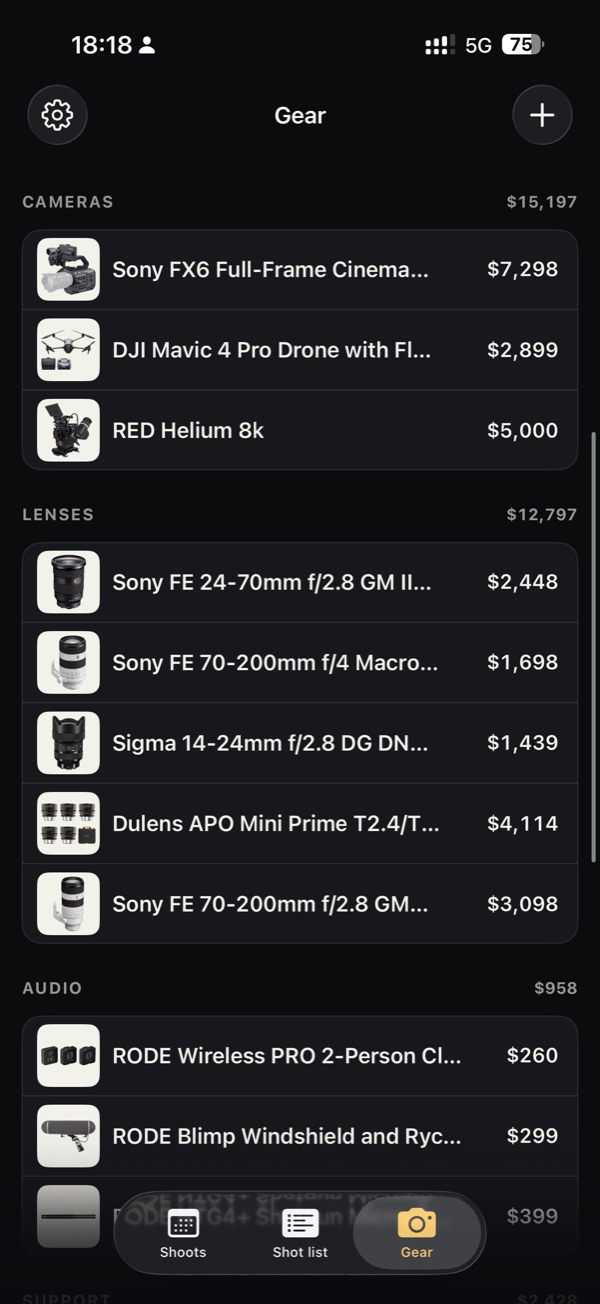
Every item, what you paid, in one place.
Point the camera at each thing you own. EasyGear lifts it off the background and files it with what you paid, with a total for each category.
Or find it in the built-in catalog, search B&H without leaving the app, or paste your list from Notes or a spreadsheet and add it all at once.
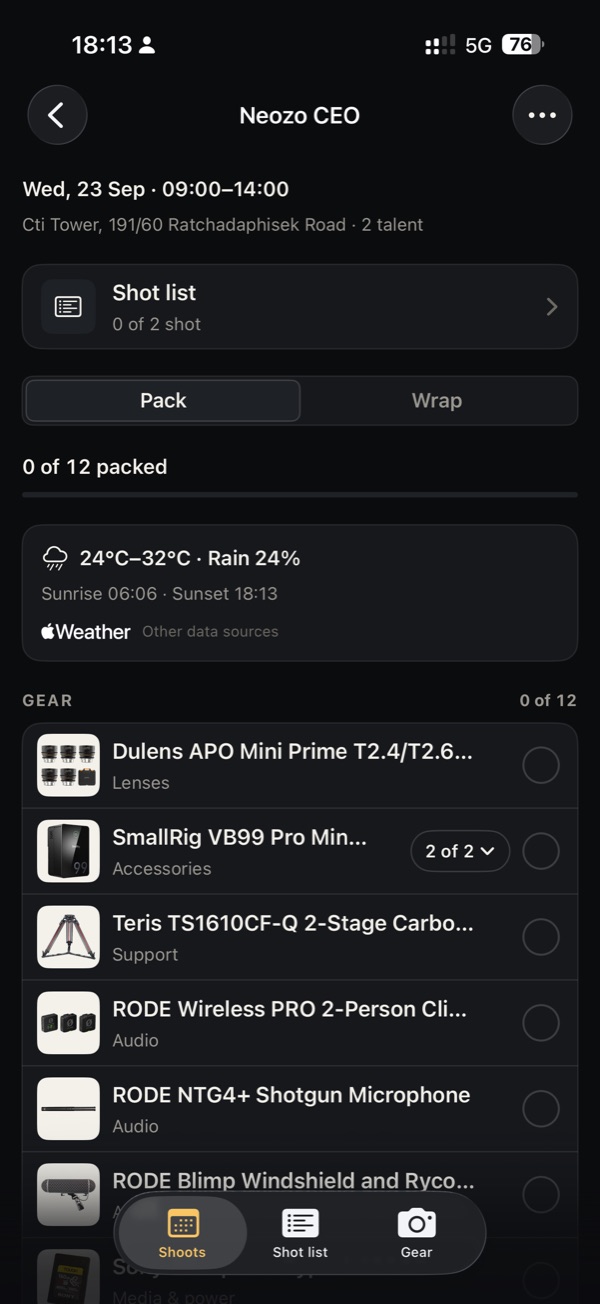
The pack list knows the forecast.
Set up a shoot and EasyGear builds the pack list, then suggests what the day calls for: rain covers when an outdoor shoot looks wet, spare batteries for a long day.
The night before, one reminder says how many things aren't packed. At wrap, what hasn't come back sits on top.
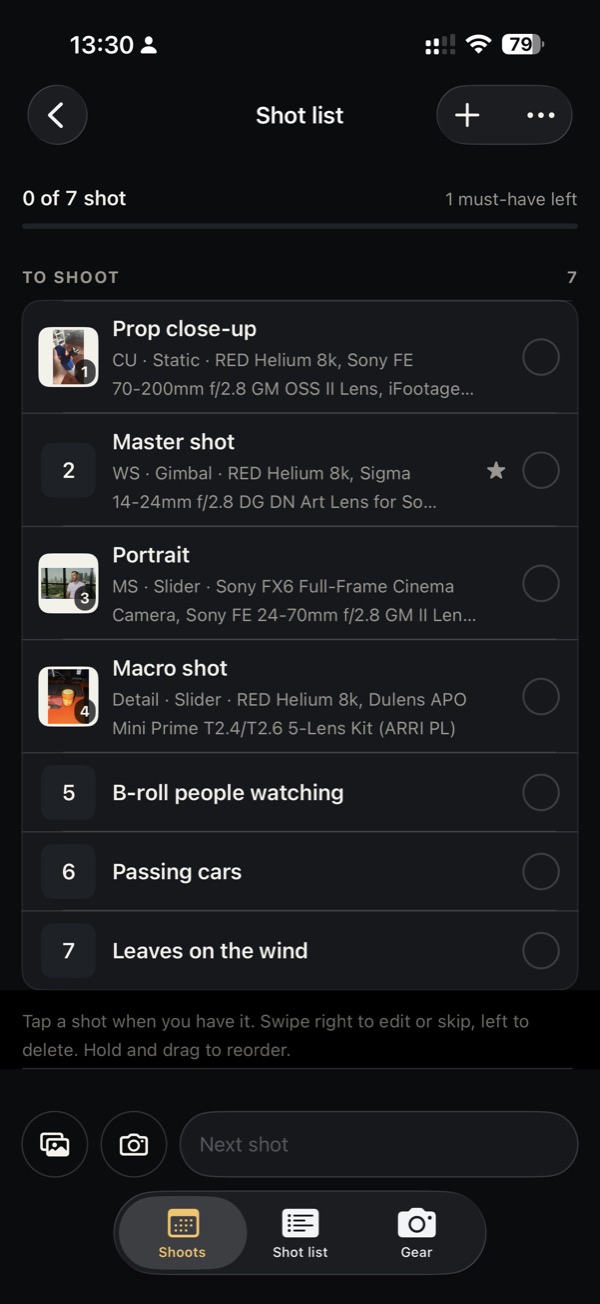
The shot list, with the frames.
A line for each shot and a reference frame if you have one. The gear a shot needs goes on the pack list by itself.
On set, tap a shot when you have it. The ones you didn't get follow the shoot to its next date.
Ask the Director / Producer / DP.
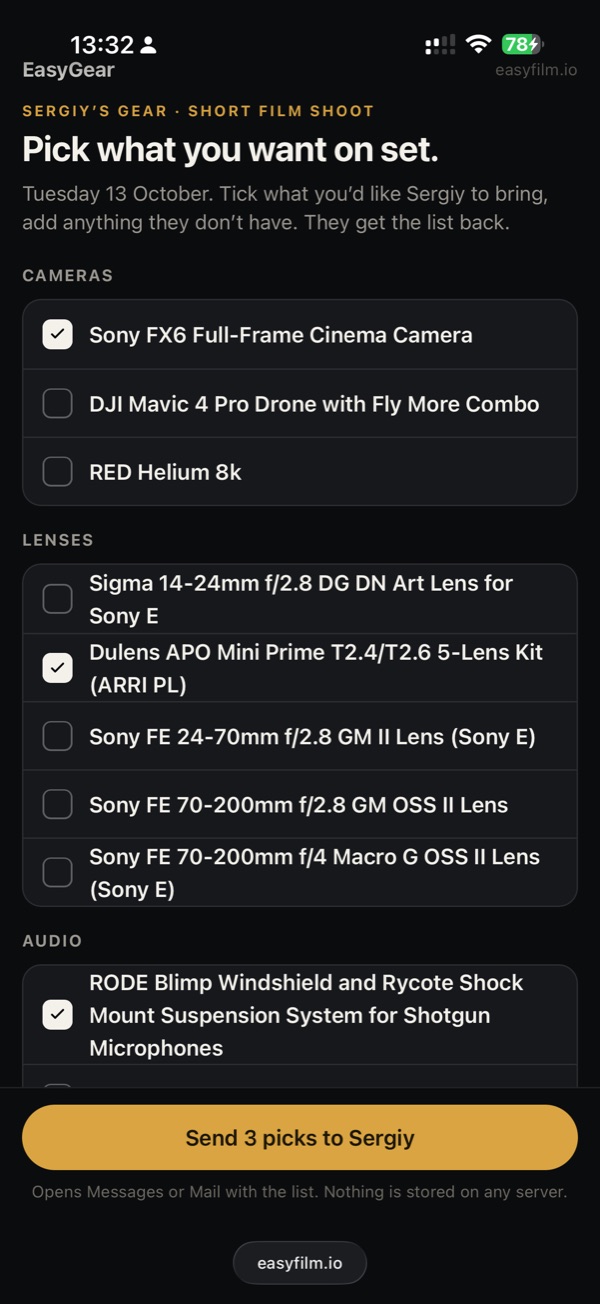
Send one link. They tick what they want from your kit in Safari, and how many of each, no app needed, and add anything you don't have.
Open their reply and one tap puts the picks on your pack list.
Questions about EasyGear
Does the director, producer or DP need the app?
No. They open your link in Safari, tick what they want and send it back by Messages or email.
Do I need an account?
No. Your gear syncs between your iPhones through your own iCloud, and you can switch that off in Settings. Nothing reaches me. Full details in the privacy policy.
Is there an iPad or Android version?
No. EasyGear is made for iPhone.
Is it a subscription?
No. $4.99 once in the US, with no in-app purchases.
What if my gear isn't in the catalog?
Photograph it, add it from a shop page, paste it as part of a list, or type it in by hand.
Can I get a refund?
Purchases go through the App Store, so refunds are handled by Apple, not by me. Request one at reportaproblem.apple.com.

Once, on a shoot, I was asked: how do you keep track of the equipment you take on set? And I was like: I keep it in my memory, or put notes in my phone. And that was exactly the shoot where I forgot to put one very important piece of gear in the trunk of my car — so I was paying a taxi to bring it to me.
That made me think: really? In 2026? There must be a more effective way to do this. That's how EasyGear began.
— Sergiy